
Getting Started with ITVDesk
ITVDesk is an enterprise-ready virtual IP camera software platform for VMS and NVR integration. It turns computer screens, webcams, media files, and RTSP/SRT sources into ONVIF-compatible virtual IP cameras, with secure transport options for professional and protected environments.
What makes ITVDesk different
- Secure streaming – HTTPS, RTSPS, SRTP, and SRT support for protected networks and enterprise deployments.
- GPU_ZERO technology – GPU-accelerated capture, processing, and encoding for high-performance streaming with minimal CPU load.
- Optimized CPU encoding – efficient CPU processing when GPU acceleration is not available or not required.
- PTZ desktop interaction – control and interact with the desktop stream through supported VMS/NVR workflows.
- Desktop subtitles and OSD – display useful on-screen information, labels, and operator context directly inside the video stream.
- Audio backchannel / two-way audio – support for VMS/NVR workflows that require audio communication back to the source.
- Audio mixing – combine audio sources for richer monitoring, training, and audit scenarios.
- Combine media sources – stream desktop, webcam, media files, and external RTSP/SRT inputs as virtual IP cameras.
1. Install ITVDesk
Download and install the latest version from our official website:
2. Activate Trial License
On first launch, click Get Trial Online to activate your 7-day free trial. You will receive a confirmation email with your license details.
3. Start Streaming
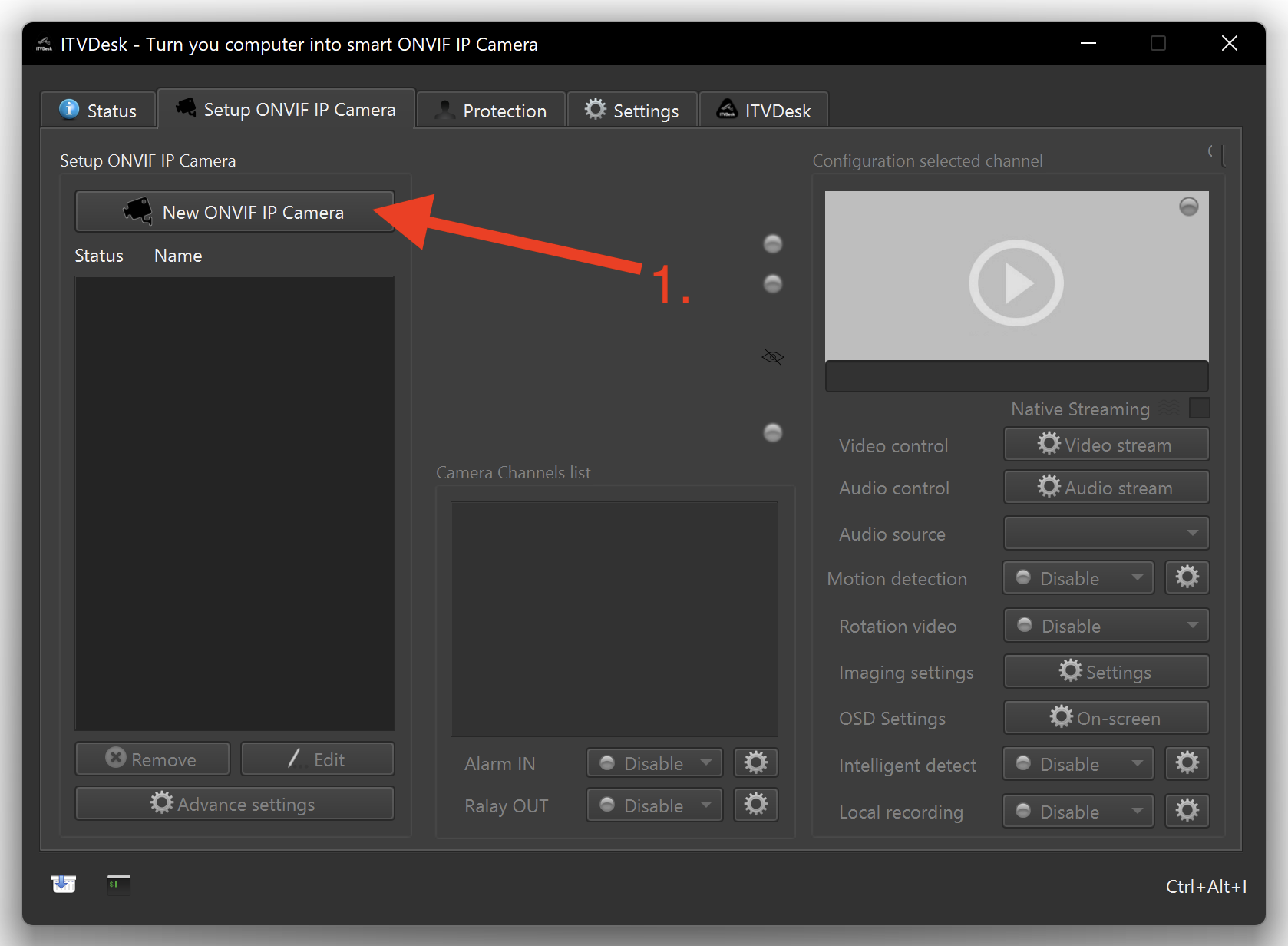
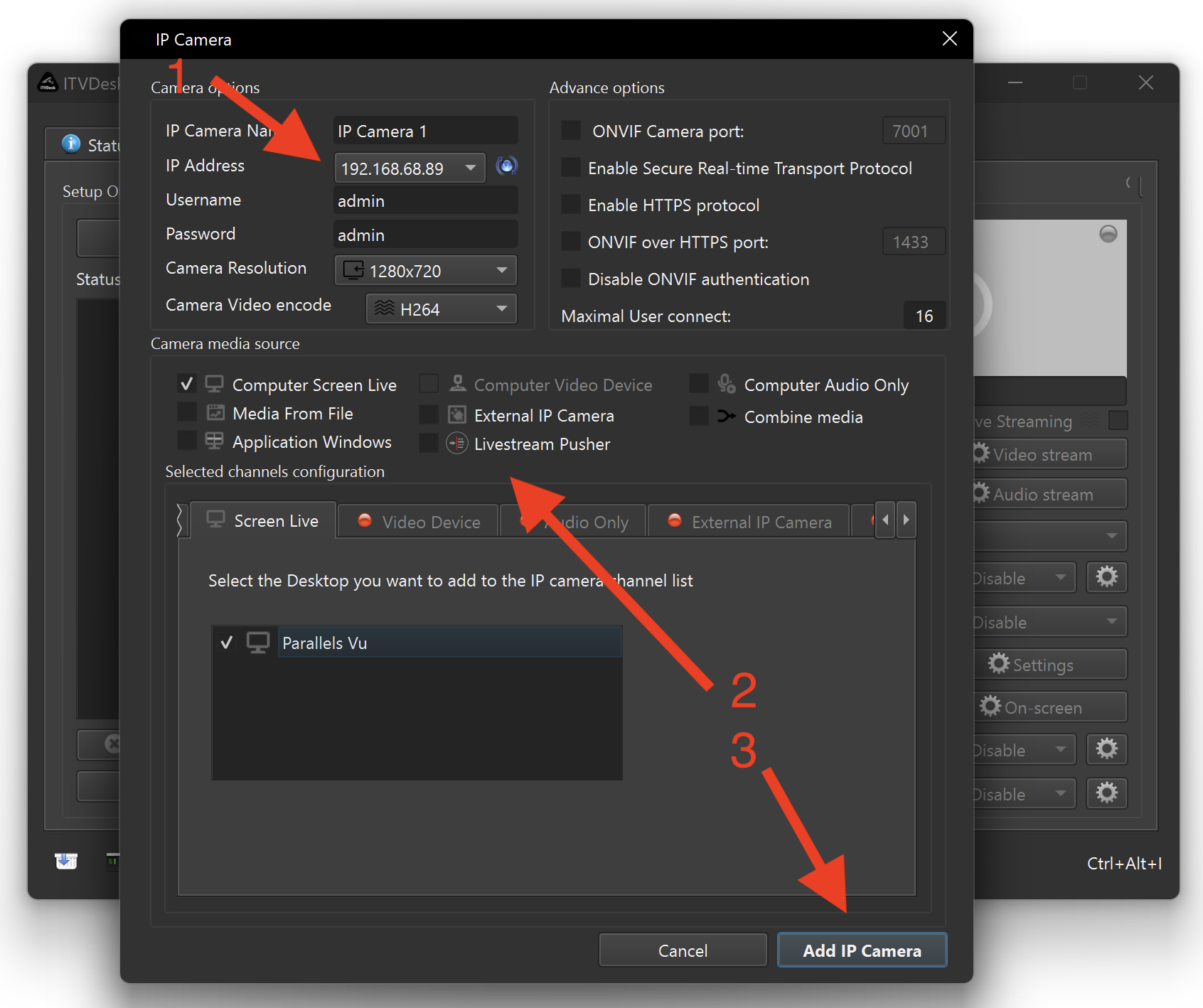
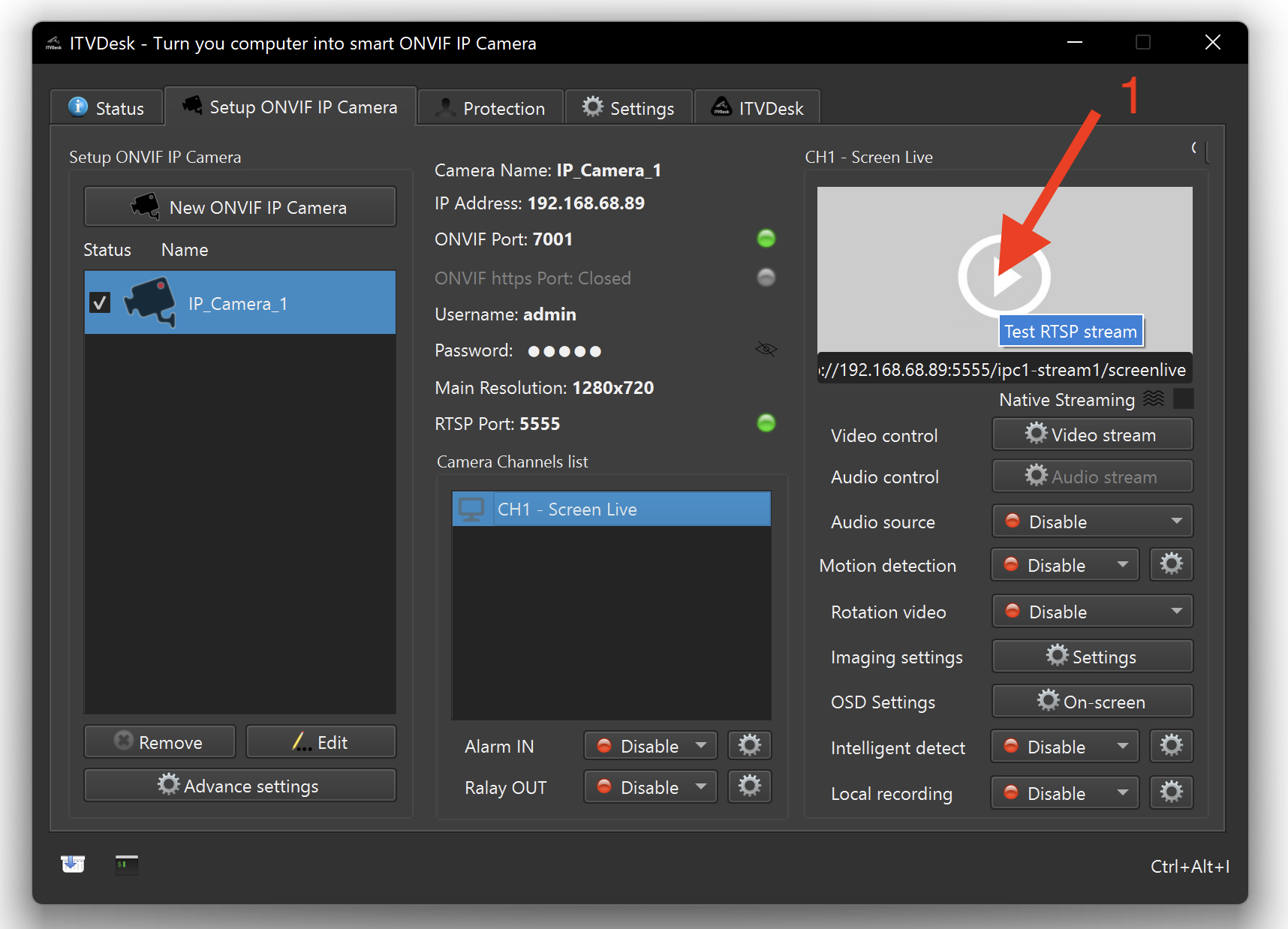
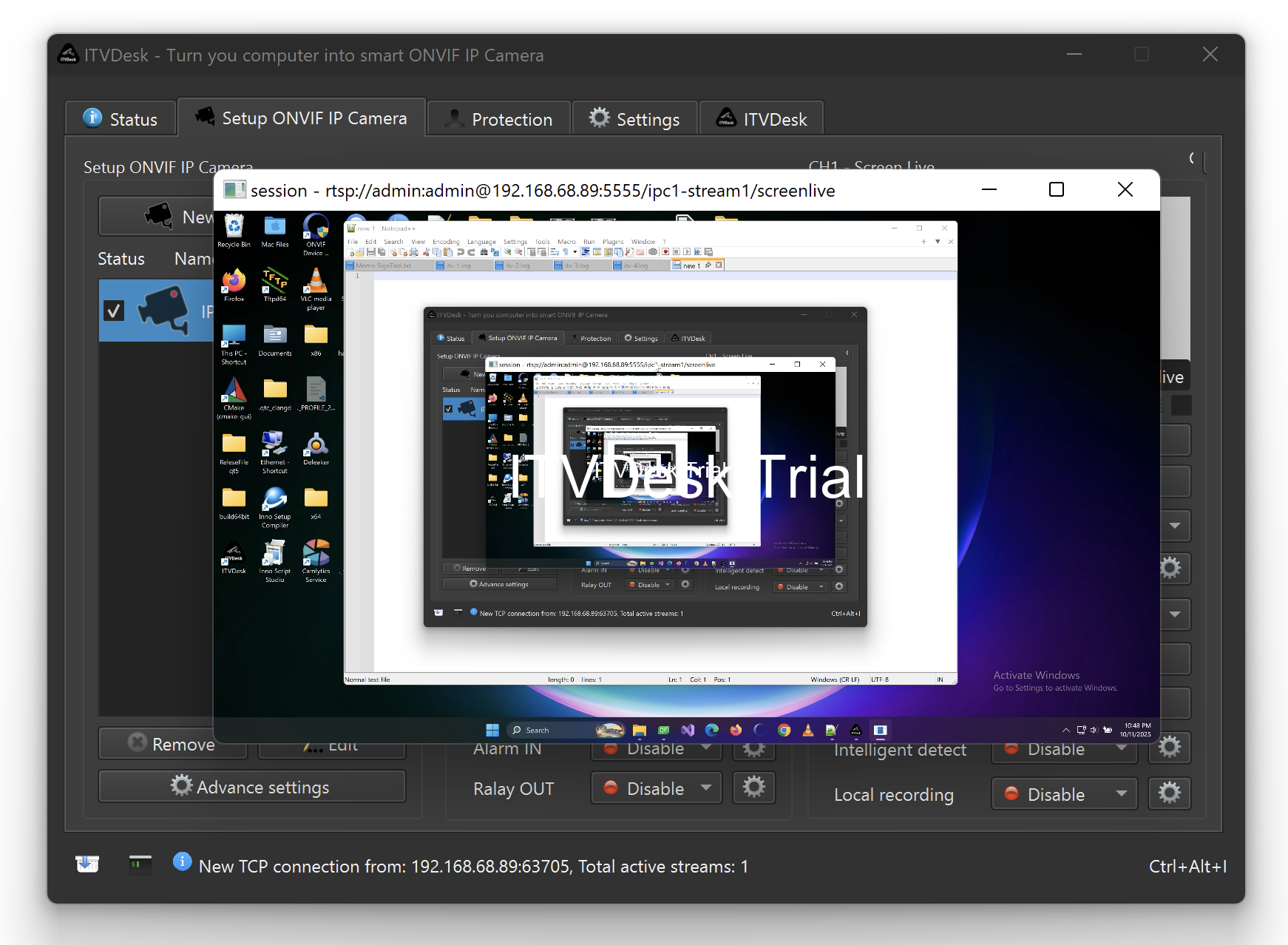
Once activated, you can start streaming using:
- ONVIF – for VMS/NVR discovery and virtual IP camera integration.
- RTSP – for broad compatibility with most video systems.
- RTSPS – encrypted RTSP transport for secure environments where supported.
- SRT – reliable secure streaming for remote sites and unstable network conditions.
- HTTPS / SRTP – secure enterprise transport options where supported by your workflow and video system.
4. Connect to Your VMS or NVR
Add a new camera in your VMS/NVR using ONVIF, RTSP, RTSPS, or SRT depending on your deployment requirements.
Watch setup video
Recommended trial checklist
- Test ONVIF discovery in your real VMS/NVR environment.
- Verify RTSP or RTSPS/SRT stream playback.
- Test screen, webcam, media file, or combined source streaming.
- Check GPU_ZERO or optimized CPU performance on your target machine.
- Contact ITVDesk support before the trial expires if integration needs tuning.
Compatibility Note
While ITVDesk follows the ONVIF standard, some VMS/NVR systems may have partial or non-standard ONVIF implementations, which can occasionally cause compatibility issues. In such cases, RTSP streaming is always available as a reliable alternative.
Free Support
We provide free support during your trial. If you need help with secure VMS/NVR integration, use live chat or contact ITVDesk support.
- Open live chat
- Email us at Diese E-Mail-Adresse ist vor Spambots geschützt! Zur Anzeige muss JavaScript eingeschaltet sein!
We are happy to assist with VMS/NVR integration, ONVIF configuration, secure streaming, and performance tuning.
Documentation & Help
For detailed manuals and technical documentation:
ITVDesk Documentation
You can also visit our support center:
ITVDesk Support Center
Ready for production?
Buy License
-- The ITVDesk Team